Send Automated WhatsApp Notifications with Shopify
Send Automated WhatsApp Notifications with Botify + Shopify
Easily notify your customers on WhatsApp whenever an order is placed in your Shopify store using Botify’s bulk WhatsApp sender with webhook integration. Step 1: Add Webhook Key in Botify
- Log in to your Shopify Dashboard
- Go to Settings → Notifications → Webhooks
- Copy your Webhook Key
- Navigate to Settings → Webhooks Key in Botify
- Paste the copied key and save
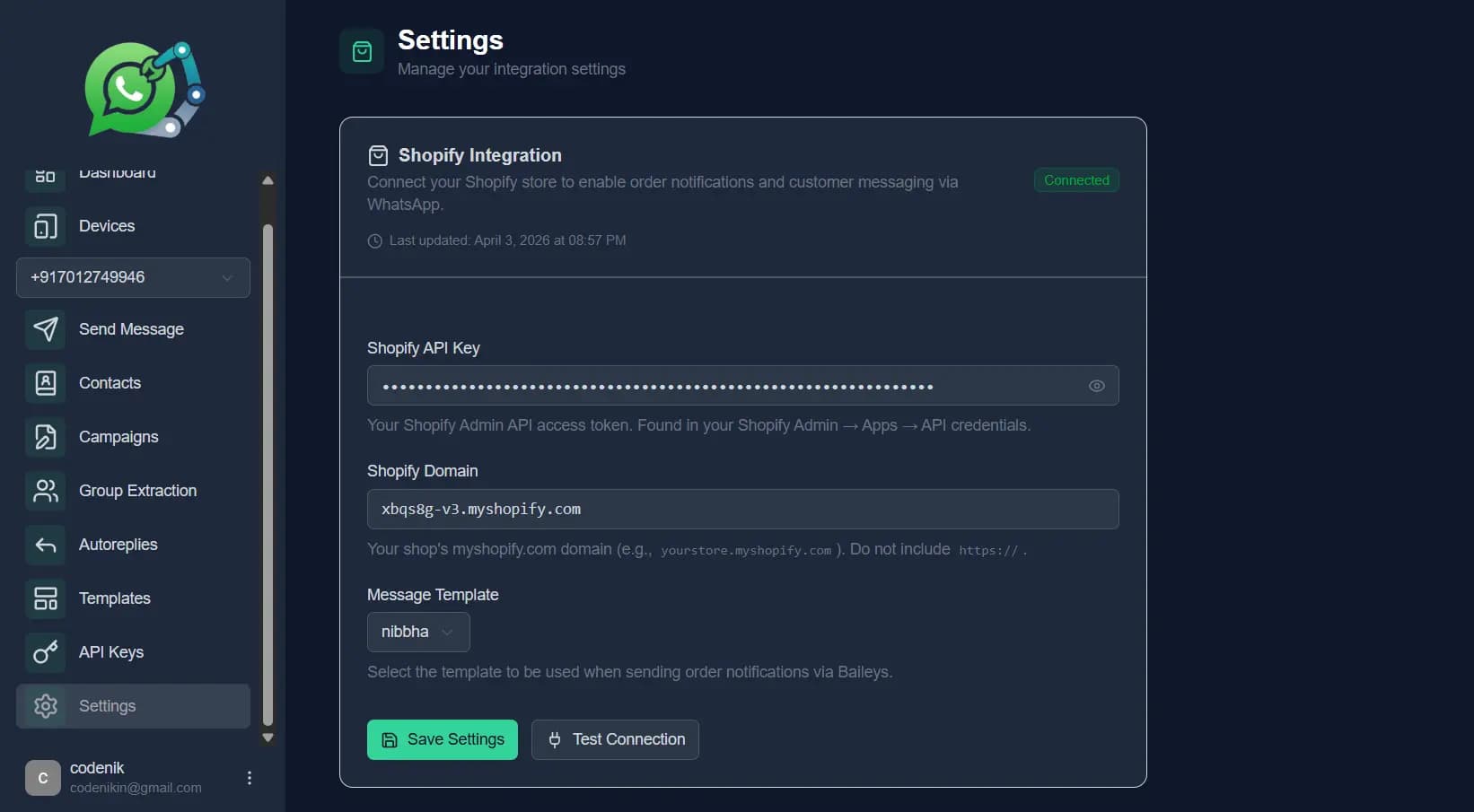
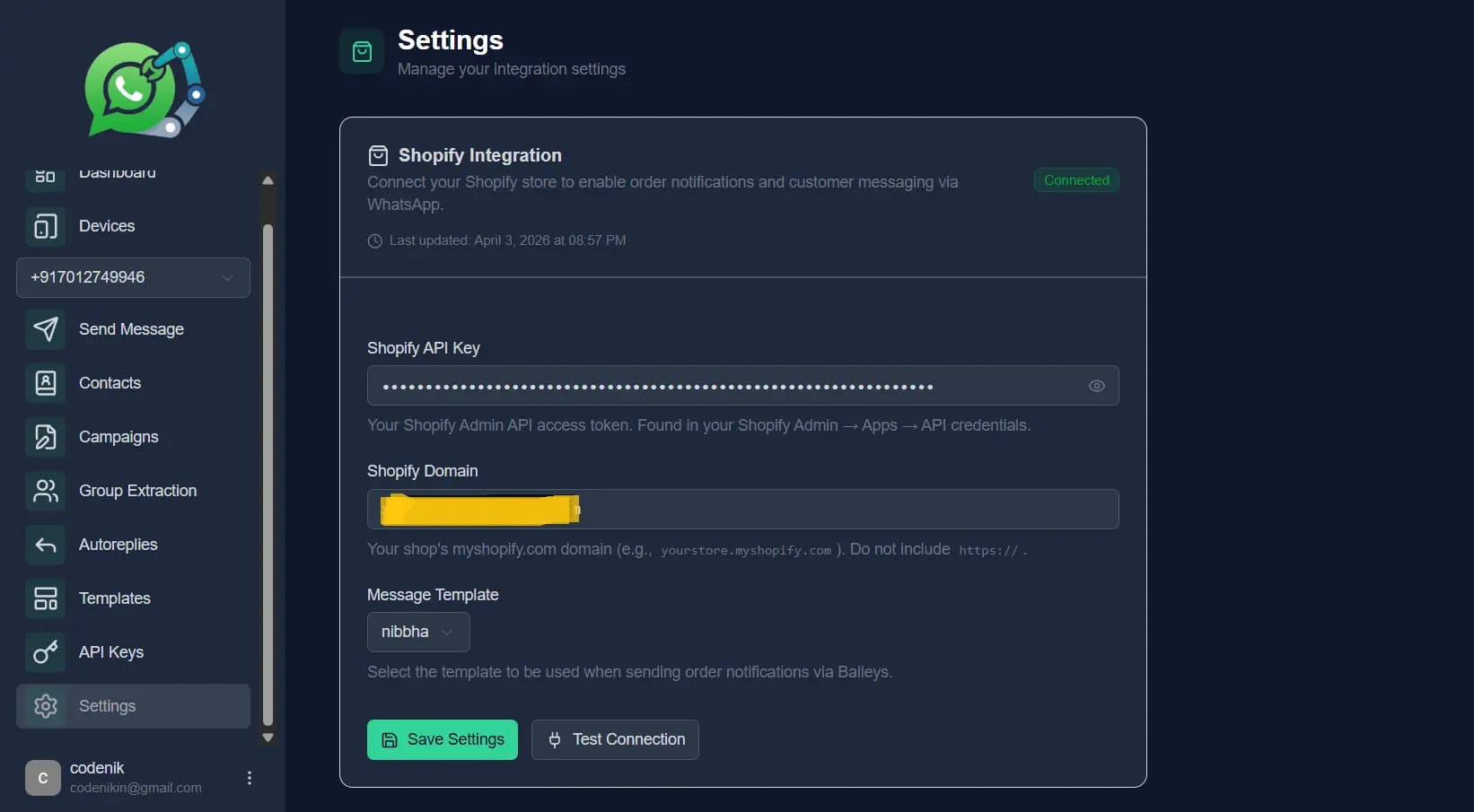
Step 2: Connect Your Shopify Domain
In your Shopify admin panel, go to Settings → Domains
Copy your store’s domain name
Paste it into the Domain field in your Botify dashboard
Save changes
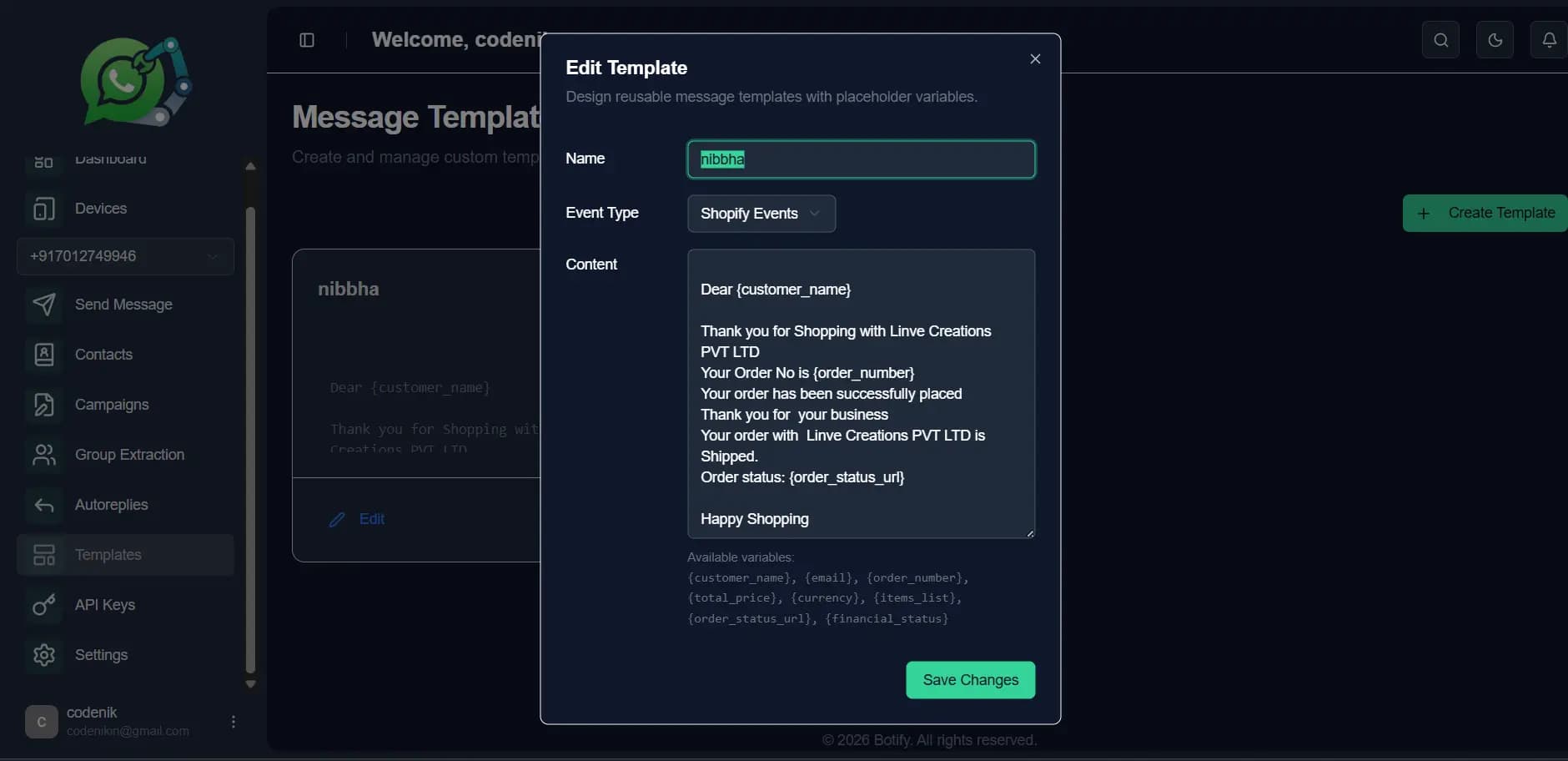
Create WhatsApp Message Template
- Open your Botify Dashboard
- Create a new message template
- Customize it for order notifications (e.g., order confirmation, shipping updates)
- Assign the template as needed
Set Up Shopify Webhook
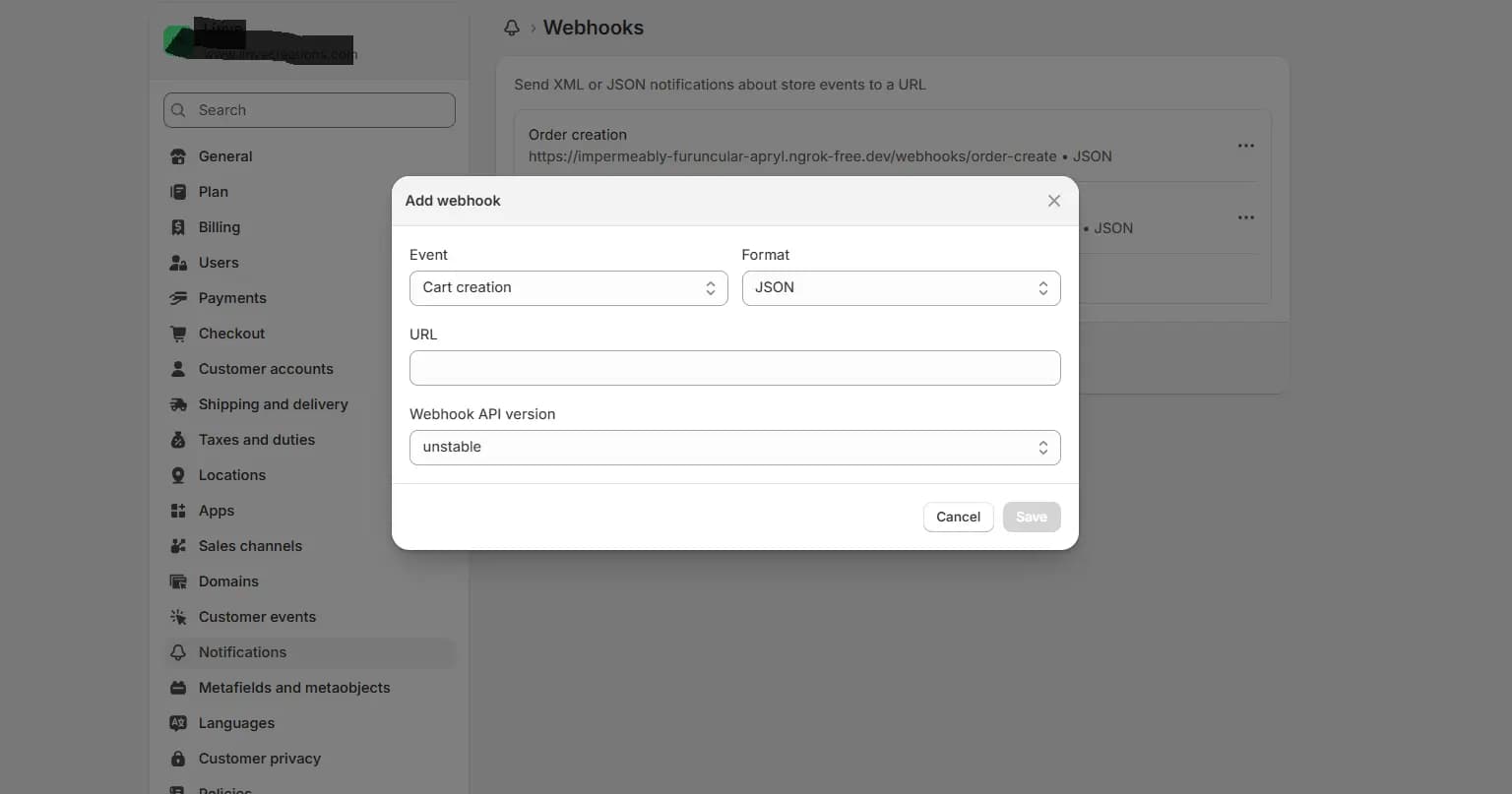
- Go to your Shopify Admin → Settings → Notifications → Webhooks
- Click Create Webhook
- Choose an event (e.g., Order Creation)
- In the Webhook URL, enter:
- https://botify.codenik.in/webhooks/order-create
- Select the latest webhook API version
- Click Save
You're All Set!
Once configured, Botify will automatically send WhatsApp notifications to your customers whenever the selected Shopify event (like order creation) is triggered.